Microsoft Silverlight
Empowering Your Future
Institute
Opening Hours: Sunday to Friday - 7 Am to 5 Pm
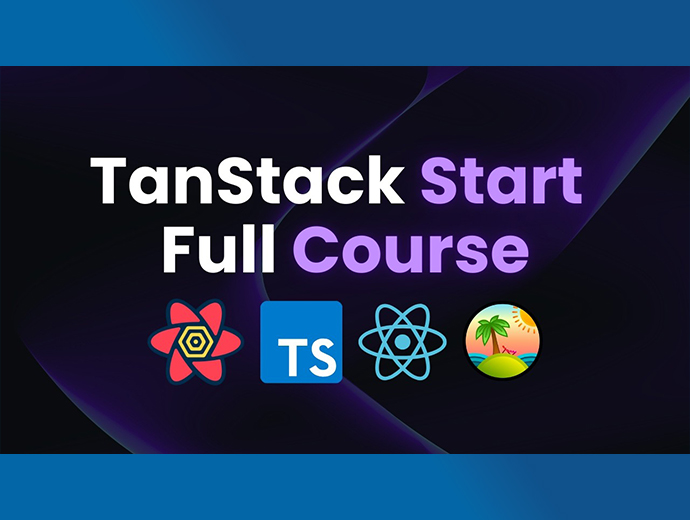
Master modern frontend development by building a blazing-fast, production-ready Restaurant Point of Sale (POS) and Management System! In this course, we ditch the slow legacy tools and use Vite for lightning-fast bundling, React for building dynamic user interfaces, and the powerful TanStack ecosystem (Query, Router, and Table) for state management and data fetching. You will learn how to build interactive digital menus, manage complex cart states, and handle real-time kitchen orders with a seamless, lag-free user experience.
१. Vite र React सेटअप: Vite को प्रयोग गरेर एकदमै छिटो चल्ने React प्रोजेक्ट कसरी सुरु गर्ने र ठूलो एप्लिकेसनको लागि फोल्डरहरू कसरी मिलाउने भनेर सिक्नुहोस्।
२. TanStack Router (राउटर): POS स्क्रिन, किचेन डिस्प्ले र एडमिन ड्यासबोर्डबीच पेज रिफ्रेस नगरी छिटो नेभिगेट गर्न मोडर्न र टाइप-सेफ (type-safe) राउटिङ गर्न सिक्नुहोस्।
३. TanStack Query बाट डेटा ल्याउने: सर्भरको डेटा कसरी म्यानेज गर्ने सिक्नुहोस्। पुरानो useEffect को साटो छिटो र प्रभावकारी तरिकाले मेनु र अर्डरहरू तान्न (fetch) र क्यास (cache) गर्न सिक्नुहोस्।
४. कम्प्लेक्स स्टेट म्यानेजमेन्ट (State Management): POS कार्ट बनाउनुहोस्। खानेकुरा थप्ने, मात्रा मिलाउने, ट्याक्सको हिसाब गर्ने र चेकआउट गर्ने प्रक्रिया रियाक्टमा कसरी गर्ने भनेर सिक्नुहोस्।
५. TanStack Table को प्रयोग: एडमिन ड्यासबोर्डमा इन्भेन्टरी र सेल्स रिपोर्ट हेर्नको लागि फिल्टर र सर्ट (sort) गर्न मिल्ने एड्भान्स टेबल (Data Grid) बनाउन सिक्नुहोस्।
६. रियल-टाइम किचेन डिस्प्ले (KDS): वेटरले अर्डर गर्नेबित्तिकै सेफको स्क्रिनमा अटोमेटिक आउने (reactive UI) र optimistic अपडेट्स कसरी गर्ने भनेर सिक्नुहोस्।
७. पर्फर्मेन्स अप्टिमाइजेसन (Optimization): Vite को स्पिडलाई कसरी प्रयोग गर्ने र एपलाई प्रयोगकर्ताको लागि एकदमै छिटो र स्मुथ बनाउन कोड अप्टिमाइज गर्न सिक्नुहोस्।
८. API सँग जोड्ने (API Integration): तपाईँको React फ्रन्टएन्डलाई ब्याकएन्ड (Backend API) सँग कसरी सुरक्षित रूपमा (JWT Authentication) जोड्ने भनेर सिक्नुहोस्।
et started by setting up a blazing-fast React environment using Vite. We will configure TailwindCSS for styling, set up our folder structure for a large-scale application, and install the TanStack ecosystem.
Design the Point of Sale screen. Learn how to build a dynamic grid of food categories and menu items, and create a highly responsive, modern interface that looks great on both tablets and desktop monitors.
Build the interactive shopping cart. You will learn how to handle complex state management to add items to the cart, update quantities, calculate taxes, apply discounts, and manage the final checkout process.
Implement modern, type-safe routing. We will create seamless transitions between the main POS screen, the Kitchen Display System (KDS), and the Admin Dashboard without any page reloads.
Replace messy useEffect hooks with TanStack Query. Learn how to fetch restaurant menu data, cache it for instant loading, and keep your frontend perfectly synchronized with the server's live data.
Build a dedicated screen for the chefs. Learn how to automatically push new waiter orders to the kitchen screen and allow chefs to mark orders as "Cooking" or "Ready" using optimistic UI updates.
Create a powerful admin panel to manage the restaurant. You will learn how to use TanStack Table to build advanced, sortable, and filterable data grids for viewing daily sales reports and managing inventory.
Connect your React frontend to a real backend database using secure JWT authentication. Finally, learn how to build and optimize your Vite application for production and deploy it live to the web.
No reviews yet. Be the first to leave a comment!